Showing posts with label RootsTech. Show all posts

February 2, 2016

Ready, Set: How to Watch RootsTech from Home

The genealogy world lens is focused on Salt Lake City right now in preparation for RootsTech 2016. Thousands are converging there for four days of classes, exhibits, keynote presentations, and entertainment starting Wednesday, February 3. It’s expected to be the largest family history conference in North America, if not the world.

And I won’t be there.

But I’m not going to sit and feel sorry for myself. I intend to follow along and join in the fun from afar. And if you’re stuck at home like me, so can you.

FamilySearch, which produces RootsTech in conjunction with numerous sponsors, is once again providing global live streaming of selected sessions. With the help of social media, you can hear the latest news, read recaps, see photos, watch videos, and even communicate with other participants.

Just as those attending in person need to pack and plan, it helps to spend a little time preparing to follow RootsTech virtually. Here’s some tips to help you get ready to join the audience that will be watching from around the globe:

1. Get familiar with the RootsTech website, www.rootstech.org. Here you can see the full schedule of classes, learn about the keynote speakers, and find lists and links to exhibitors and ambassadors—many of the people who will be reporting live from RootsTech. This is also where you’ll tune in to watch live streaming sessions, which are offered Thursday, Friday, and Saturday.


2. Click on Live Stream Schedule to find the sessions that will be broadcast globally in real time. Note the times of the ones you want to watch—and remember to convert them from Mountain Time (MST) to your local time zone. If there are some you can’t fit into your schedule, don’t despair—the videos will be available afterward, on the same website.

Here’s some live streaming classes I have on my must-see list:
  • Amy Crow: Best Websites and Apps for Local History (Thurs. 1:30 pm)
  • Lisa Louise Cooke: Proven Methodology for Using Google in Genealogy (Fri. 1:30 pm)
  • Peggy Lauritzen: Homespun and Calico: Researching Our Foremothers (Sat. 3:00 pm)
  • James Ison: Using the Genealogical Proof Standard for Success (Sat. 4:30 pm)

3. Download the syllabus materials for the live stream sessions, as well as other sessions that interest you. That’s right, the handouts for all classes have been posted on the website. I’ve found this is actually a multi-step process:
  • Click on 2016 Classes to see class titles and descriptions. Use the left sidebar to filter your choices, or click on the Speakers tab to find sessions offered by particular speakers. Note the code number for the class.
  • Example: Tom Jones is teaching “Solutions for Missing and Scarce Records,” code number RT8290
  • Go back to the homepage, click on Class Syllabus, and find that class by opening up the selections for the appropriate category (this one is in "RootsTech 3000 and above"). You’ll see a PDF of the handout.
  • If you like, save the syllabus in a RootsTech folder on your desktop, or in Dropbox, Evernote, or another cloud service. (I like Evernote because it indexes every word in the document, so I can easily find things again.)
  • Of course, this isn’t the same as actually seeing or hearing the presentation being given, but it's still pretty cool, and can give you some helpful hints and resources to refer to

The Class Schedule page offers several ways to find classes that interest you

4. Get your social media engine revved up to follow the action on Twitter, Facebook, or Google+. Twitter is especially fun because the commentary is so immediate. Some exhibit hall vendors offer special deals that they extend to viewers at home, and you’ll hear about those, too. Look for and use the official hashtag, #RootsTech. 

Twitter will be buzzing with #RootsTech posts

5. Follow some of the bloggers listed as Ambassadors to see recaps, photos, and the latest news. They’re all good, so you can’t go wrong. But if you can only pick one, I’d suggest you follow Randy Seaver’s Genea-Musings. In past years, Randy has done compilations of posts from numerous bloggers, saving you some legwork. He’ll give you a good taste for what’s going on.

6. Remember to tune in to watch the live streaming. The feed will start automatically on the RootsTech homepage at the scheduled time. You don’t have to register, sign in, or do anything except watch.

And that’s how you, too, can share in the fun and discovery of RootsTech without leaving home. The kicker? It’s absolutely free. Thank you, FamilySearch!


-Shelley

December 18, 2014

Tips for Planning Your Trip to the Family History Library

FHL Family History Library

Are you planning your first research trip to the Family History Library (FHL) in Salt Lake City in conjunction with the upcoming Salt Lake Institute of Genealogy,  FGS 2015 Conference and/or RootsTech? Wondering what’s the best way to prepare for it? I was in your shoes a few years ago. I vividly remember what it was like walking into the FHL for the first time, feeling a mix of awe and trepidation at its enormous size. So I’ve pulled together some tips that I hope will help you.

A good place to start is Tips for Visiting the Library on the FamilySearch website. Another handy resource is Janet Hovorka's The Chart Chick's Guide to Salt Lake City, available as a free PDF download. The FamilySearch blog recently posted Exciting New Changes at the Family History Library. The FGS Voice Blog offers A Virtual Tour of the Family History Library with hours and layout of the building, to help you know what to expect.

If you read these, you’ll notice a few common threads. One thing everyone recommends is that you do some prep work at home before walking in the door of the Family History Library.

But how, exactly, do you do that? Start by identifying the books, journals, and microfilm reels you want to look at from the FamilySearch catalog. Here’s an easy method for determining what you want to do:
  • Enter the place where your ancestors lived, from largest body to smallest: country or nation, state or province, county or parish, town or city. (Example: United States, Pennsylvania, Lehigh, Allentown) As you're typing, the locality you want may pop up; go ahead and click on it. Keep in mind that you'll usually get more results by searching on the county only, without naming a town.
  • Choose what you want to look at from the results (cemeteries, church records, vital records, etc.).
  • Click on a title to see a particular resource. When you find one you want to check, either print out a copy to take with you or add it to a Word document, Excel spreadsheet, or electronic note-taking application like Evernote or Microsoft OneNote. 
  • Write a note about who or what you want to look for right there on your print-out, list, or spreadsheet, along with any pertinent details. (Example: “Look for John Eberhard/Mary Comfort marriage in Lehigh Co. around Dec. 1891.”) If there’s more than one microfilm listed, circle or highlight the one you need to get from the drawer in a bright color.
  • Return to the Catalog home page and search by Surnames, repeating these steps.
  • Organize resources by where you'll find them in the library. Since family history books, locality-based books, US/Canada microfilm, and international microfilm are on different floors of the library, it helps to know what you need to get on each floor.
  • Make a master list of your highest priority items—those sources you want to be sure to look at. It's easy to lose track of time, and you don't want to forget to do something important. I make a list on Evernote, and print it as well so I can check things off as I do them.

Salt Lake City

Another common question is what should I bring with me? Essentially, you'll want to bring the research tools you're most comfortable with. Here's some of the things I'd suggest:
  • A laptop or tablet to check resources, take notes, and consult your genealogy database. You don't want to get there and waste time duplicating what you already have, or wondering how William Whatever fits into your family tree.
  • Blank research logs to record your results and sources. I make myself write down the title, author, film number, and other citation elements before I open the book or crank the microfilm. Then I record the volume, page number, and details when I find something. If I don't find anything, I write "no record found" or a similar note.
  • One or two USB flash drives. Try to buy the kind that you can attach a small keychain to. That way, if you accidentally leave the flash drive in one of the scanners (speaking from personal experience), you have a better chance of getting it back.
  • A digital camera and spare battery. You can save time and money by taking pictures of books and articles rather than making copies. Some people take pictures of microfilm, too, to avoid lines at the scanners. 
  • Dollar bills for the copier, for those times when you want to print from a book or microfilm. Copies are only a nickel each. 
  • Reading glasses, if you use them, or a small magnifying glass.
  • A pouch with pencils, pens, paper clips, small post-it tabs, and any other items you usually use, and a notepad to write on.
  • Money, bottled water, and/or snack to eat in the snack room. Trust me, you'll get hungry, but it's soooo hard to tear yourself away. 
  • Chapstick. The air is dry in Salt Lake City.
  • Some kind of tote, backpack, or rolling bag to put everything in. Lockers are available, but I usually carry my things around with me.

That's about it. There's a short orientation film you can watch when you first arrive. As you're working, the volunteers and staff at the FHL will be more than happy to answer all the questions you ask, like where to find things, how to work the printers and scanners, and where the snack room is. You’ll be in good hands.

My first visit to the FHL was both exhilarating and exhausting. I made some great discoveries—one of which I wrote about in “Striking Gold in Salt Lake City”—and found a lot of information about my ancestors. Here’s hoping that your first visit will be everything you've dreamed of!

--Shelley

Note: This post is a reprise of the one I wrote for the FGS Voice Blog, Tips for Researching at the Family History Library, published December 8, 2014. 

February 11, 2014

Thanks for RootsTech, from the Virtual Seats


RootsTech 2014 was at the center of the world genealogical stage last week, and even those who couldn’t make it to Salt Lake City were invited to watch. I had a lot of fun following along from home, and just want to say thanks to everyone who made that possible.


First of all, hats off to FamilySearch for hosting RootsTech and giving everyone free live access to the keynote addresses, 15 sessions, and syllabus. Well done! The quality of the live streaming was amazing from the opening moments on. It was neat having the Twitter feed streaming on the home page as well. I only noticed a few glitches in the transmission and schedule; perhaps a small announcement board would help keep everyone updated. Overall, what a remarkable production. Thanks to those at FamilySearch with the vision to reach out to home viewers, and to the technicians working behind the scenes.

Thanks also to the corporate sponsors of RootsTech for their funding and support. I can’t imagine how much it costs to put something like this on.

A big thanks to the many bloggers in attendance who shared their pictures, experiences, thoughts, and discoveries with us. Your posts really captured the essence of RootsTech. A major genealogy conference is a whirlwind of activity, and I know how difficult it can be to carve out time to write blog posts. But you all did a great job, and your efforts are really appreciated. I look forward to reading more of your recaps and reflections this week.

Thanks to all those who kept up the lively exchange of ideas, news, links, and messages on Twitter. It was a fun way to join in with RootsTech. I felt connected to others watching from home, and particularly enjoyed hearing from people at the conference who were attending different sessions.

And of course, thanks to all the speakers who shared their knowledge and passion with us. I can’t wait to see some of the sessions I missed on video, which are now appearing at www.rootstech.org/about/videos. Even the speakers who weren’t part of the broadcast schedule generously shared their handouts. Think of all the hard work and knowledge that syllabus represents! Speaking of which, here are a few items for you:


If I had to pick one highlight of my virtual RootsTech experience, it would be Friday morning’s keynote address with Judy Russell and Spencer Wells. Judy, The Legal Genealogist, eloquently made the point that we run the risk of losing family history stories in just three generations. We need to purposefully and accurately record our family stories—starting with ourselves, our parents and grandparents—in order to preserve them. As Judy points out in her corresponding blog post, genealogy standards give us the framework we need to do this. Spencer Wells discussed the use of genetic testing to pick up the trail of our deep ancestry after the paper trail of traditional genealogy runs out. If you didn’t get the chance to hear these captivating speakers the first time—or if you’d like to hear them again—you can catch the video here (there aren’t any handout materials for the keynote sessions, in case you’re wondering).

I hope everyone involved with RootsTech gets some well-deserved rest now that the conference is over. From my seat in the virtual gallery, it was wonderful to be able to learn and share a little bit of the experience with you.
--Shelley

Related Posts:

February 5, 2014

You Too Can Be a Virtual RootsTech Attendee


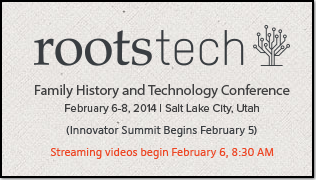
One of the biggest genealogy events of the year, RootsTech 2014, is about to start. Hundreds—possibly thousands—are gathering in Salt Lake City right now, gearing up to hear presentations, tour the exhibit hall, watch demonstrations, and grab a little research time at the Family History Library.

And I’m at home, 1522 miles away.

Instead of sitting around feeling sorry for myself, though, I’ve decided to become a Virtual RootsTech Attendee. Would you like to join me? It’s fun, it’s easy, it’s free, and at the end of the day, you get to sleep in your own bed. Doesn’t sound so bad now, does it?

Here’s what we Virtual RootsTech Attendees will be doing from Thursday, February 6, through Saturday, February 8:

MAKING CONNECTIONS
A big part of any conference experience is the connections you make with other people there. Connections are what make the conference lively and fun, and they also fill you in on things you missed. You might think this would be hard to do from home, but it’s actually pretty easy, thanks to:
  • Carolyn Pointer’s awesome RebelMouse RootsTech page, which delivers the excitement in real time, including pictures. (For the inside scoop on what’s new in genealogy each day, follow Carolyn’s blog, 4 Your Family Story.)
  • Genealogy bloggers attending RootsTech, who are posting updates, summaries, and news. I’m watching Randy Seaver at GeneaMusings, Amy Coffin at We Tree Genealogy, DearMyrtle, and several others.
  • Twitter, where everyone is using the hashtag #RootsTech. I use TweetDeck to organize my Twitter feeds, and set up a column for the conference (click on the searchlight, enter #RootsTech, and click “add column”). By reading and retweeting other people’s tweets, and posting some of your own, you can actively engage with people at RootsTech, as well as others watching from home.

LEARNING
Now we’re getting to the heart of the matter. RootsTech is offering 15 live-streamed sessions that anyone can watch, free, from any device connected to the Internet. I’ve included the list of streamed sessions at the end of this post, or see it here. Remember to convert the times listed from Mountain Time to your own time zone. Here’s some tips for getting the most from these sessions:
  • Bookmark the website, www.rootstech.org, for fast access. The videos will appear on the home screen as they’re broadcast—you don’t have to sign up or select anything.
  • Set up a viewing and note-taking system that works from you. For simplicity, you can’t beat watching the sessions on your computer or tablet and taking notes on paper. If you have two screens to work with (an extra monitor, or a tablet in addition to a computer), you can use one to watch and the other to take notes in a Word doc, Google doc, or Evernote note.
  • Download the handouts for the sessions you’re watching. I like to add the handout for the presentation to the notes I take on Evernote.
  • Preview the entire RootsTech schedule, so you’ll know what people are talking about when they reference other sessions that aren’t being streamed.

To help with the whole virtual thing, here's some views of Salt Lake City:


And here's some last-minute tips:
  • Tune in at 8:30 am MT each day to hear the keynote speakers. RootsTech doesn’t include these in the list of streamed sessions, but they will be broadcast live.
  • Between sessions, get up and move around. People at RootsTech will be navigating stairs and hallways, changing rooms, grabbing a snack, etc. I plan to change rooms from time to time, too, to keep from getting tired.
  • Have some healthy snacks ready. I’ve got apples, yogurt, and microwave popcorn just waiting to be popped (good thing, because I happen to be snowed in today).
  • Don’t sweat it if you have to miss a session you want to see. Last year, they posted all the videos afterwards, and I expect they’ll do the same this year. Within a few days, if not immediately, you’ll be able to go back and watch them.
  • Keep a lookout for special promotions and offers announced from vendors at RootsTech. These are usually available from home, too, for a short period of time.

The live-streamed RootsTech sessions and times (Mountain Time) are:

Thursday, February 6, 2014
10:30-11:30 am: Top 10 Things I Learned About My Family From My Couch (Tammy Hepps)
1:00-2:00 pm: FamilySearch Family Tree: What’s New and What’s Next (Ron Tanner)
2:30-3:30 pm: Intro to DNA for Genealogists (James Rader)
4:00-5:00 pm: Genealogy in the Cloud (Randy Hoffman)
5:00-6:00 pm: Sharing Your Family with Multimedia (Michael LeClerc)

Friday, February 7, 2014
10:30-11:30 am: Storytelling Super Powers (David Adelman)
1:00-2:00 pm: Tweets, Links, Pins, and Posts: Break Down Genealogical Brick Walls with Social Media (Lisa Alzo)
2:30-3:30 pm: Getting the Most out of Ancestry.com (Crista Cowen)
4:00-5:00 pm: Finding Family and Ancestors Outside the USA with New Technologies (Daniel Horowitz)
5:00-6:00 pm: Do It Yourself Photo Restoration (Ancestry Insider)

Saturday, February 8, 2014
10:30-11:30 am: Become an iPad Power User (Lisa Louise Cooke)
1:00-2:00 pm: Information Overload: Managing Online Searches and Their Results (Josh Taylor)
2:30-3:30 pm: A Beginner’s Guide to Going Paperless (Randy Whited)
4:00-5:00 pm: How to Interview Yourself for a Personal History (Tom Taylor)
5:00-6:00 pm: Five Ways to Do Genealogy in Your Sleep (Deborah Gamble)

Sounds too good to miss, doesn’t it? I'm excited! So what do you say? Are you ready to be a Virtual RootsTech Attendee?
--Shelley

LinkWithin

Related Posts Plugin for WordPress, Blogger...